Coupons & customer accounts
Coupons & customer accounts
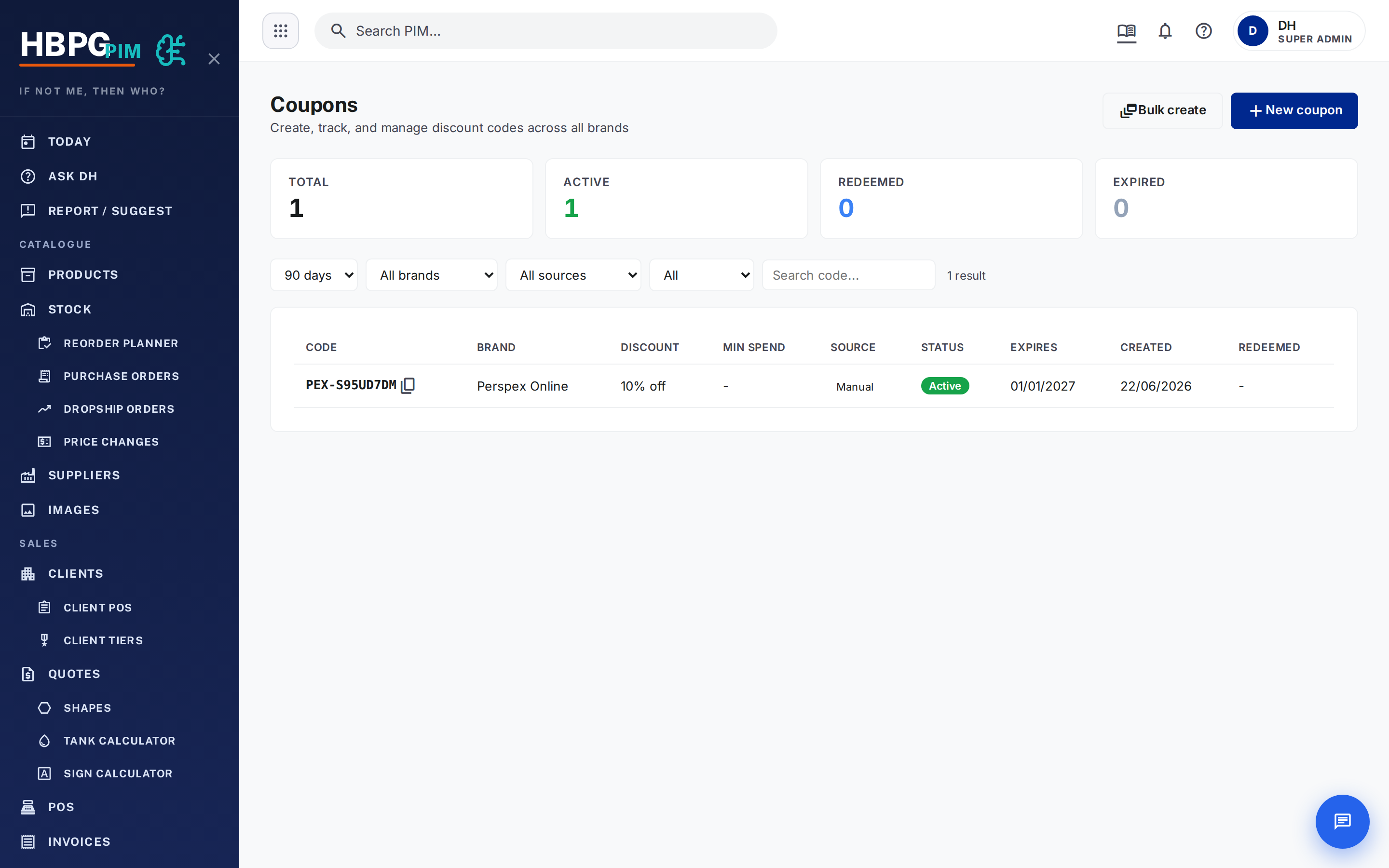
Coupons — what they are
Coupons are managed in the PIM (the single source of truth for every code). A coupon has a type, a value, an optional minimum spend, an expiry, and the brand it belongs to.
Three types:
- percent — a % off (max 100%)
- fixed_aud — a fixed dollar amount off
- free_shipping — free freight
Codes are brand-prefixed so you can tell at a glance which brand a code is:
PEX- Perspex, PON- Plastic Online, HOL- Holland, PMP- P&M, EXP- EXP.
The letters avoid look-alikes (no O/0, I/1/L) so codes paste cleanly.
How to issue a coupon
Most coupons are minted automatically (abandoned-cart recovery, the Kelly chatbot, EOFY/loyalty campaigns). To issue one manually:
- Create it with the brand, type (percent / fixed_aud / free_shipping), value, expiry, and optional min spend.
- You get back the code (e.g.
PEX-AB3K7QRT) to give the customer.
For a campaign you can bulk-issue up to 500 at once.
How a coupon is used (the lifecycle)
- Validate happens when the customer enters the code — it checks the code is real, unused, unexpired, the right brand, and meets min spend. It does not use the code up.
- Redeem happens only when the payment completes — that’s when the code is marked used (once). So an abandoned checkout never burns a code.
Gotchas (the “why won’t my code work?” ones)
Expired, already-used, wrong-brand, and doesn’t-exist all show the same “invalid” message to the customer (on purpose, so codes can’t be probed). To find the real reason, look the code up in the dashboard and read its state.
- Brand-scoped: a Perspex (
PEX-) code won’t work on another brand’s checkout. - Min spend: if the cart is under the minimum, it’s rejected with the required amount.
- percent is capped at 100%.
Customer accounts
There are two different account systems — don’t mix them up:
- Online store accounts (Perspex Online) — passwordless magic-link login
(enter email, click the emailed link). The customer’s portal has order
history, saved addresses, and a coupon wallet (
/account/coupons) listing their unused, unexpired codes. Guest checkout still works. - Trade / account-customer portal — a separate portal for account customers with statements and outstanding balance.
To help a customer log in: it’s the magic link — no password. Their coupons are in the wallet, orders under their account.
Common questions
- “My code says invalid.” Look it up in the dashboard — it’s expired, used, wrong brand, or under min spend (the message is the same for all).
- “I didn’t get a login.” It’s a magic link by email — check the address and spam; resend the link.
Who to tell if it breaks
Tell Daniel or flag in #whats-new.
TODO: confirm where customers enter a coupon (cart vs checkout — it was partially disabled at one point) and the wallet/address screen labels.
Derived from: the coupon logic (coupons-ops), the account portal, and CLAUDE.md. If this looks wrong, the source changed — update the source and re-generate, don’t just patch this page. See also Brand IDs.