Pipedrive
Pipedrive
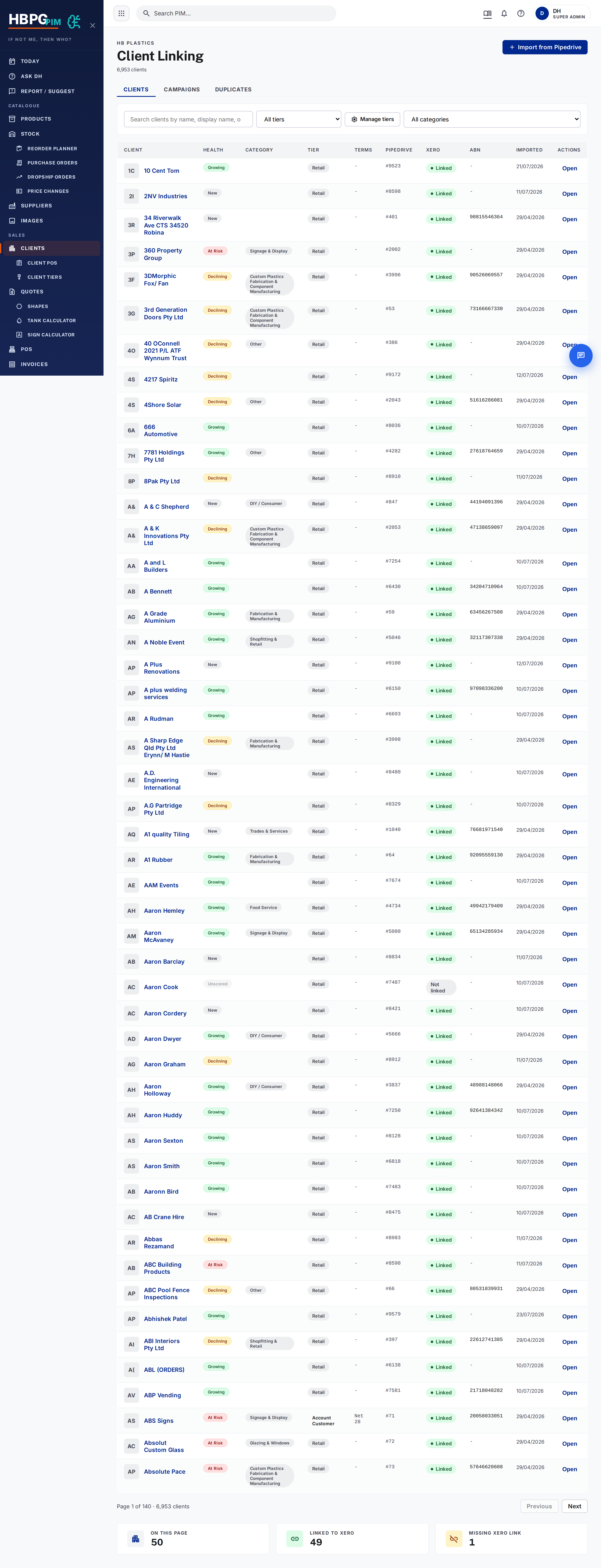
What it is
Pipedrive is our CRM and the spine of every order. Each order is a deal, attached to a person (the customer) and an organisation (their company). A lot of the deal is filled in automatically by our systems — your job is to work the deal, move it through the stages, and add your own notes, while leaving the automated fields alone.
flowchart LR
  O[Web order] --> Pr[Find/create person by email]
  Pr --> Or[Find/create organisation]
  Or --> Dl[Create deal + cart line items]
  Dl --> No[Cart summary note added]
How web-order deals get created
When a customer orders online, the system automatically:
- Finds the person by email (or creates one if it’s a new email).
- Finds or creates their organisation, and links it to Xero.
- Creates the deal — titled
Online order | name | date, in the right brand’s pipeline, with the cart items attached and the delivery address stamped on. - Adds a cart-summary note to the deal.
The deal starts out marked Lost (“Web checkout - awaiting payment (auto)”) because at this point the customer hasn’t paid yet — they’re still on the payment screen. The moment their payment goes through, the deal automatically flips to open in the New Order stage. This means an abandoned checkout never shows up as an open deal in the pipeline — there is nothing to triage or mark lost by hand. If you see a Lost deal with that reason, it’s just an unpaid checkout; leave it alone.
Once that deal is invoiced, its title changes to the invoice number (see Xero).
The stages a deal moves through
Each brand has its own pipeline. There are two shapes:
Online-order brands — Perspex Online & Plastic Online:
New Order → Waiting on Material → Production →
Ready for Pick Up/Delivery → Dropship → Completed
Full sales brands — P&M, Holland & EXP:
New Lead → Contacted → Quote → Invoice → Production →
Ready for Pick Up/Delivery → Dropship → Completed
So a web order starts at New Order (Perspex/Plastic Online) or moves through Quote → Invoice on the sales brands. Move a deal along as the job progresses; Completed is the end.
There are also a few extra pipelines for leads and imports (e.g. an imports pipeline with stages like Getting Quotes → Quote Sent → Invoiced → In Production → On Water → Ready for Collection). Ask if you’re unsure which pipeline a deal belongs in.
What NOT to touch — automated fields
Some fields on the deal, organisation, and person are owned by our automations (payment, Xero, orders, tracking, marketing attribution). If you overwrite them, you break the automatic sync. Leave these alone:
- On the deal: Payment Status, Order Status, Dispatch Status, Xero Invoice Status, Order Number/Ref, PO Number, Tracking Link, and the various behind-the-scenes checkout/marketing fields (session, UTM, referrer, etc.).
- On the organisation: the Xero Contact ID (the master link to Xero — the single most important one), plus Xero Entity/Sync Status, the PIM link, and ABN.
- On the person: Customer Type / Pricing Tier.
If you ask Claude to update Pipedrive, a guard automatically blocks edits to these protected fields. But that guard only works inside Claude — if you edit these fields by hand in the Pipedrive screen, nothing stops you. So when you’re in Pipedrive yourself, just don’t touch the fields above.
What’s automatic vs what staff do
Automatic: creating deals/people/orgs from web orders, linking to Xero, copying invoice details onto the deal, renaming the deal to the invoice number, updating status, and posting cart/quote/invoice notes.
Staff do: work deals in Pipedrive — move stages, add your own notes and activities, follow up customers. Just leave the protected fields to the automations.
Gotchas
- Deal title = invoice number once invoiced. Don’t rename it back.
- Same-name customers no longer merge on online orders. Matching goes
email → phone → name, and the name step could rarely join two different
customers who share a name. For online (web-checkout) orders this is now
address-guarded: after payment, a same-name organisation is only reused
when the billing address also matches, otherwise a separate org is created.
A side effect is you may occasionally see a second org for a repeat customer
whose address changed — that’s safe and preferred over a wrong merge; flag it
if it needs tidying. (Companies that supply an ABN still match on name.) The
behaviour is controlled by
PDORG_ADDR_GUARD_ENFORCEon the pipedrive-ai-assistant worker; setting it back to"0"reverts to log-only. - A customer who orders under a new email creates a new person. If you see duplicates, that’s why — don’t merge protected-field data across them yourself.
Common questions
- Can I rename this deal? Not once it’s invoiced (the title is the invoice number). Before that, adding notes is safer than renaming.
- Why are there two records for one customer? They probably ordered under a different email. Flag it if it needs merging.
- I need to change the Xero link on a company. Don’t do it by hand — that’s the master Xero Contact ID. Ask Daniel.
Who to tell if it breaks
Tell Daniel or flag in #whats-new. Wrong-customer matches and broken
Xero links are system issues — escalate rather than hand-fixing.
Derived from: the PAI order flow, the pipedrive-mcp-guard skill, xero-worker, and CLAUDE.md. If this looks wrong, the source changed — update the source and re-generate, don’t just patch this page. See also Invoicing and Xero.